04 November 2015 on group policy, Azure
This week I wanted to disable Shutdown/Restart of our VMs in Azure. Come to find out, this is a user setting, not a machine setting.
Here’s how to setup a Group Policy so that it all works.
Our situation: User in domain ABC logs on to computer in domain XYZ. I wanted user specific policies to be applied only in domain XYZ. The specific policy was to disable the shutdown/restart ability. Obviously don’t want this to apply to computers in domain ABC (the users PC).
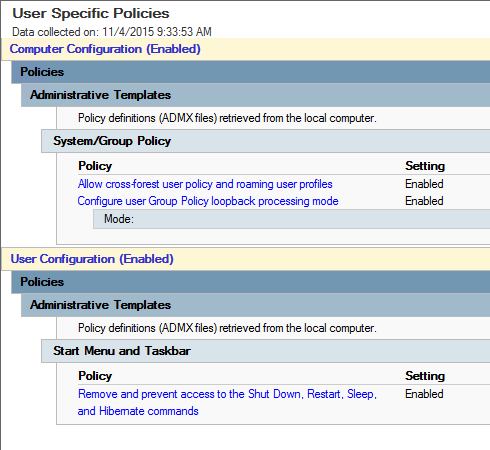
I created a new GPO in XYZ with the following settings:
- Computer Configuration\Administrative Templates\System\Group Policy\Allow cross-forest user policy and roaming user profiles — Enabled
- Computer Configuration\Administrative Templates\System\Group Policy\Configure user Group Policy loopback processing mode — Enabled Mode:Merge
- User Configuration\Administrative Templates\Start Menu and Taskbar\Remove and prevent access to the Shut Down, Restart, Sleep, and Hibernate commands — Enabled
Originally published at todddeland.com on November 4, 2015.